PlainText 22.0.5
Publisher Description
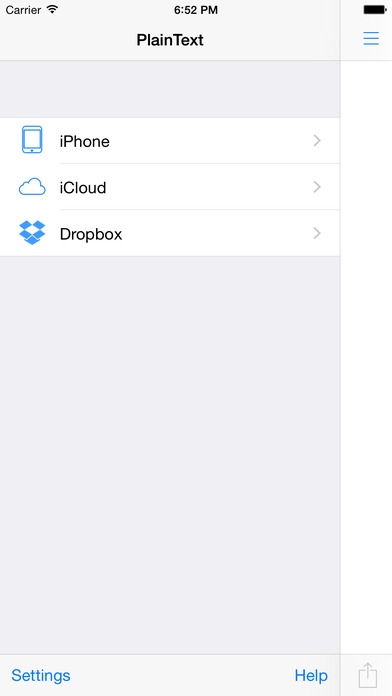
PlainText is a simple, paper-like text editor. It handles all of your plain text files (.txt, .md, .html, etc) and syncs with Dropbox and iCloud.
Features:
Syncing - Dropbox and iCloud
Folders - keep your documents organized
Extended keyboard - quick access to special keys
Passcode - keeps your documents secure
Universal - works great on both iPhone/iPod touch and iPad
Fonts - customizable font and font size
Supports Fleksy Keyboard (learn more at http://fleksy.com)
Why PlainText?
Working with plain text files provides universal access to your files.
Want to edit you documents on your computer? No need to own expensive word processing applications.
Want to edit your files from anywhere? Setup Dropbox syncing and signup for a service like TextDrop (https://www.textdropapp.com/) to access your files from anywhere.
Want formatting? Markdown preview coming soon!
Requires iOS 7.0 or later. Compatible with iPhone, iPad, and iPod touch.
About PlainText 2
The company that develops PlainText 2 is Jonathan Jordan. The latest version released by its developer is 2.0.5.
To install PlainText 2 on your iOS device, just click the green Continue To App button above to start the installation process. The app is listed on our website since 2014-01-06 and was downloaded 16 times. We have already checked if the download link is safe, however for your own protection we recommend that you scan the downloaded app with your antivirus. Your antivirus may detect the PlainText 2 as malware if the download link is broken.
How to install PlainText 2 on your iOS device:
- Click on the Continue To App button on our website. This will redirect you to the App Store.
- Once the PlainText 2 is shown in the iTunes listing of your iOS device, you can start its download and installation. Tap on the GET button to the right of the app to start downloading it.
- If you are not logged-in the iOS appstore app, you'll be prompted for your your Apple ID and/or password.
- After PlainText 2 is downloaded, you'll see an INSTALL button to the right. Tap on it to start the actual installation of the iOS app.
- Once installation is finished you can tap on the OPEN button to start it. Its icon will also be added to your device home screen.
